Room Cleaning, Furnishing & Upgrades
Clear dirt and stains, furnish rooms, and plan Regular, Comfort and VIP upgrades.
What to do when cleaning stalls
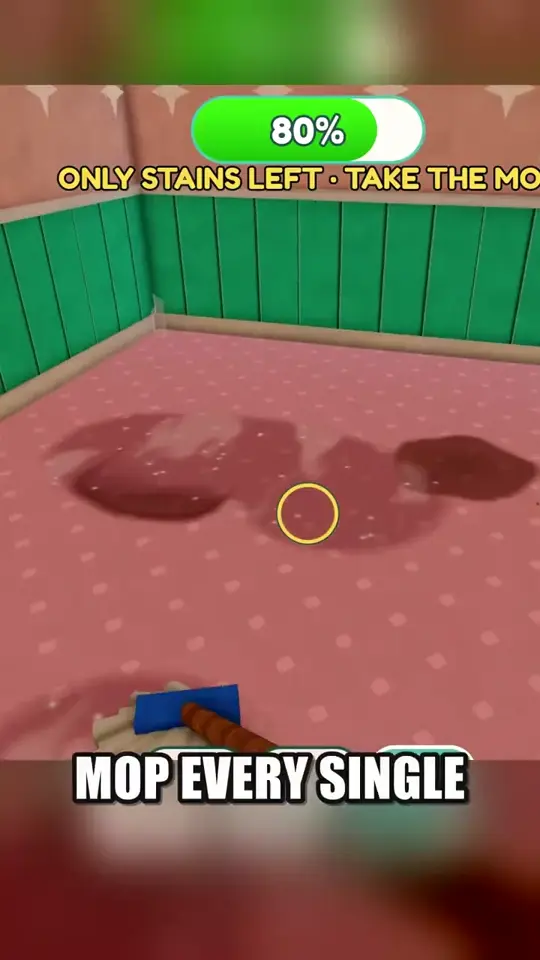
Watch the room progress and read the message above it. At 80% in the recording, the prompt says only stains are left and directs the player to the mop. Change tools and work over the remaining marks instead of redoing already cleared areas.
Furnish after cleaning
After buying and cleaning a room, follow its furnishing prompt. Beds, lamps, sofas and tubs are among the furnishings listed by the developer. Check the room current task before buying extras, then return to the turnover routine after the furnishing job is done.
Plan Regular, Comfort and VIP upgrades
The developer lists Regular, Comfort and VIP in ascending order. Review the next tier in the room interface and check its displayed cost or requirements before spending. Prioritize a room you can keep ready for guests. Exact tier prices, required furniture and payout changes remain unverified.